
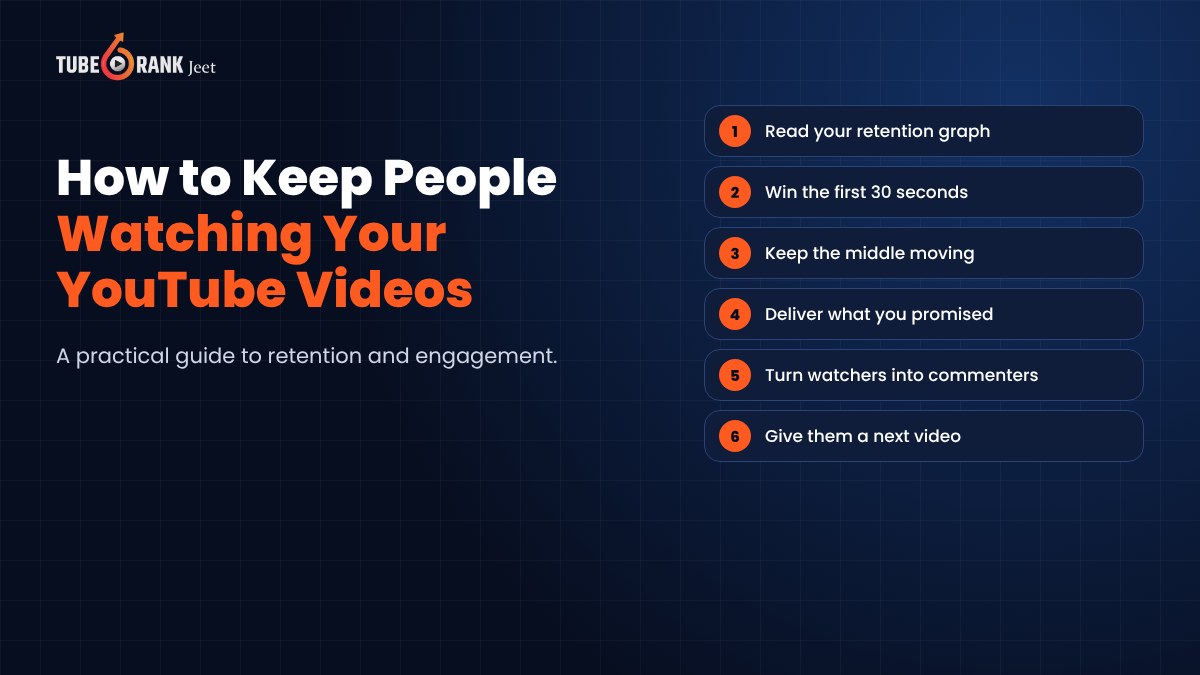
Getting someone to click your video is hard. Getting them to stay is harder.
I learned this the painful way. I'd see a video pick up a few hundred views, feel great, then open the analytics and find that most people had left in the first minute.
That's what this post is about. Not how to get more traffic, but how to keep the people who already showed up watching, commenting and coming back. If you're looking for ways to bring in more viewers in the first place, we've covered how to get organic traffic on YouTube in a separate guide.
Because here's the thing. Views you can't keep don't add up to much.
Why Keeping Viewers Matters More Than Getting Them

YouTube wants viewers to enjoy what they watch. When people stick around, that tells YouTube your video delivered.
A video that holds attention tends to get shown to more people. A video that people abandon early tends to fade.
And there's a human side too. A viewer who watches to the end is the one who subscribes, comments, buys from you and watches the next video. A viewer who leaves after fifteen seconds is just a number.
So retention isn't a vanity metric. It's the whole game.
How to Read Your Retention Graph
Open YouTube Studio, pick a video, and go to the engagement section of its analytics. You'll find the audience retention graph.
It shows what share of viewers are still watching at each moment. Two numbers sit next to it. Average view duration and average percentage viewed.
For many videos, YouTube also highlights key moments.
- Intro. How many viewers are still watching after the first 30 seconds.
- Top moments. The parts where retention holds best.
- Spikes. Moments people rewatched or jumped to.
- Dips. Moments where people skipped ahead or left.
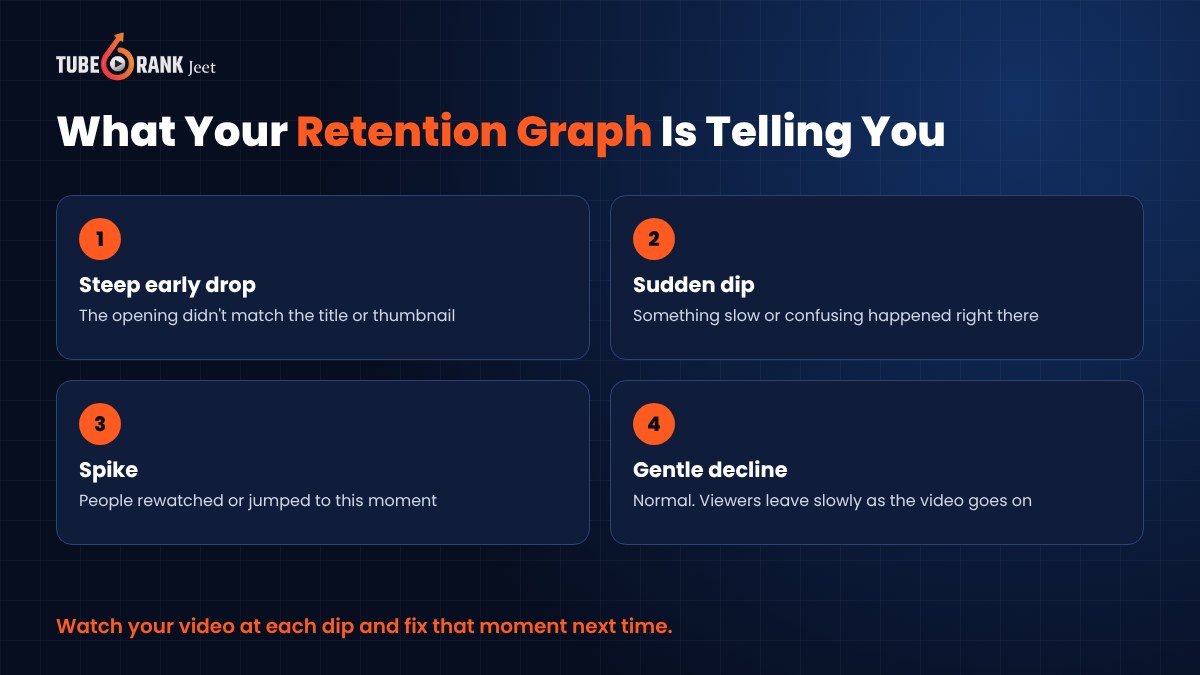
Every graph drops over time. That's normal. What you're looking for are the shapes.
A cliff at the start means the opening didn't match the click. A sudden dip in the middle means something boring or confusing happened right there. A spike means people found something worth seeing twice.
Watch your own video at those exact timestamps. You'll usually spot the problem in seconds.
Win the First 30 Seconds
This is where most viewers decide.
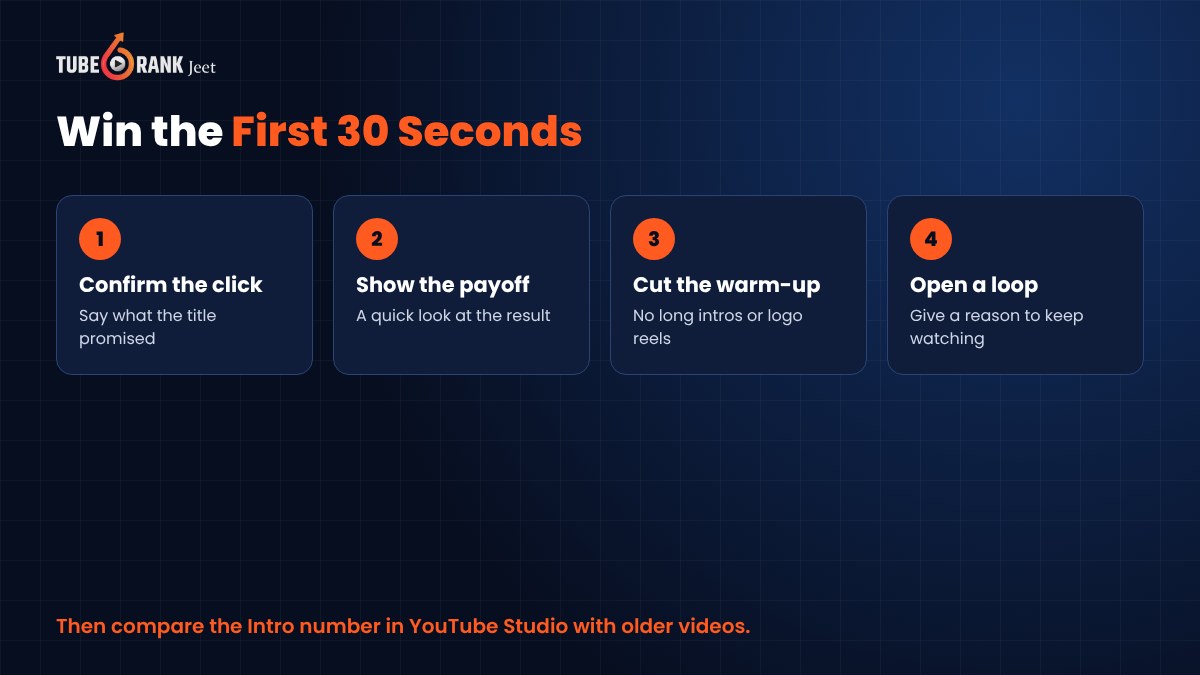
Confirm the click. Your first line should tell viewers they're in the right place. Say what the title and thumbnail promised.
Show the payoff. Give a quick glimpse of the result. The finished dish, the fixed bug, the before and after.
Cut the warm-up. No long logo animation. No "hey guys, welcome back, before we start". Get to it.
Open a loop. Give people a reason to keep watching. "The third mistake is the one almost everyone makes" works better than you'd think.
Try this on your next video and compare the intro number with your older ones.
Keep the Middle Moving
The middle is where good videos quietly lose people.
Cut every pause, every repeat and every "um" you can. Watch your edit at normal speed and be honest. Would you skip this part?
Change something every so often. A new camera angle, a screen recording, a quick text on screen, a B-roll shot. Small visual changes give the eyes something new.
Use structure. Tell viewers what's coming. "Three steps. Here's the first." People stay longer when they know where they are.
And add chapters with timestamps in your description, starting at 0:00. Some people will jump ahead, sure. But they'd have left otherwise. Chapters keep them in your video instead of someone else's.
Deliver What the Thumbnail Promised
This one sounds obvious. It isn't.
If your title says "5 Tips" and you spend three minutes on your backstory first, people feel tricked. They leave. Some of them won't click your next video either.
Misleading thumbnails might win a click today, but they cost you retention and trust. Make your packaging exciting, but true.
The best retention fix is often upstream. Attract the right viewer with the right promise, and keeping them becomes much easier.
Turn Watchers Into Commenters

Engagement keeps people connected to your channel between videos.
Ask one specific question inside the video. Not "let me know what you think", which nobody answers. Something like "Which of these would you try first?" People answer questions they can answer quickly.
Pin a comment that keeps the conversation going. A question, a bonus tip or a correction.
Reply to comments, especially in the first day or two. When people see the creator is there, they're more likely to join in. And replies often turn one comment into a thread.
Use your Community tab, if your channel has it, to post polls and questions between uploads. It keeps you in front of the people who already like you.
Give Them Somewhere to Go Next

A viewer who finishes your video is the best viewer you'll ever get. Don't let them leave empty-handed.
Add an end screen pointing to one specific next video, not a random one. End screens can appear in the last 5 to 20 seconds, so plan your ending around them.
Group related videos into playlists. When one ends, the next one in the playlist is ready to play.
Mention the next video in your script. "If this helped, watch the one where I fix the second half of this problem" gives people a real reason to click.
And yes, ask people to subscribe. Just do it after you've helped them, not in the first ten seconds.
Make It Easy to Watch for Everyone
Plenty of people watch with the sound off. Others don't speak your language as their first.
Upload accurate captions instead of relying only on auto-captions. Add translated subtitles if you have viewers in other countries. Keep your audio clear, because bad sound drives people away faster than bad video.
How Tuberank Jeet Helps You Attract Viewers Who Stay
Retention starts before anyone presses play. It starts with who clicks.
If your video ranks for the wrong search, you'll get viewers who wanted something else. They'll leave fast, and your graph will show it.
That's where Tuberank Jeet helps. It's desktop software for Windows and Mac that helps you research topics and keywords, see the traffic you can expect and find out how hard or easy it will be to rank.
You can analyze the videos already ranking for your topic and see what they're doing. Its viewer sentiment analysis shows how people feel about a niche or keyword, which is a handy clue to what your audience actually wants.
Then it uses AI and community research to suggest titles, descriptions, tags and hashtags, so your video gets in front of people searching for exactly what it delivers. It supports targeting by language and region too.
It won't edit your video or fix a slow intro. That part is still yours. But it helps make sure the people who click are the ones who'll want to stay.
Tuberank Jeet costs $6.99 a month or $67 a year, with a 30-day refund guarantee. There's also a free version you can try first.
Frequently Asked Questions
What is a good audience retention rate on YouTube?
There's no single number that fits every channel. It depends on video length, topic and format. The most useful comparison is with your own previous videos.
Why do viewers leave in the first few seconds?
Usually because the opening doesn't match what the title and thumbnail promised, or it takes too long to get going. Confirm the click and show the payoff early.
Do comments help my video?
Comments show that people care enough to react, and they build a relationship with your audience. Ask specific questions and reply to keep the conversation going.
Should I make my videos shorter to improve retention?
Not necessarily. Make them as long as they need to be and no longer. Cutting filler usually helps more than cutting length.
Final Thoughts
Getting views is only half the job. Keeping people watching is what turns views into subscribers, fans and customers.
Read your retention graph. Win the first 30 seconds. Keep the middle moving, keep your promises, talk with your commenters and always give viewers a next video to watch.
Small fixes, video after video. That's how a channel grows.
If you want more people finding your videos to begin with, read our guide on how to get organic traffic on YouTube. And to make sure the right viewers click, give Tuberank Jeet a try.