
You spent a whole weekend on a video. You hit publish. And then... nothing. Twelve views, three of them from your own phone.
I've been there more times than I'd like to admit. The video was good. The problem was that nobody could find it.
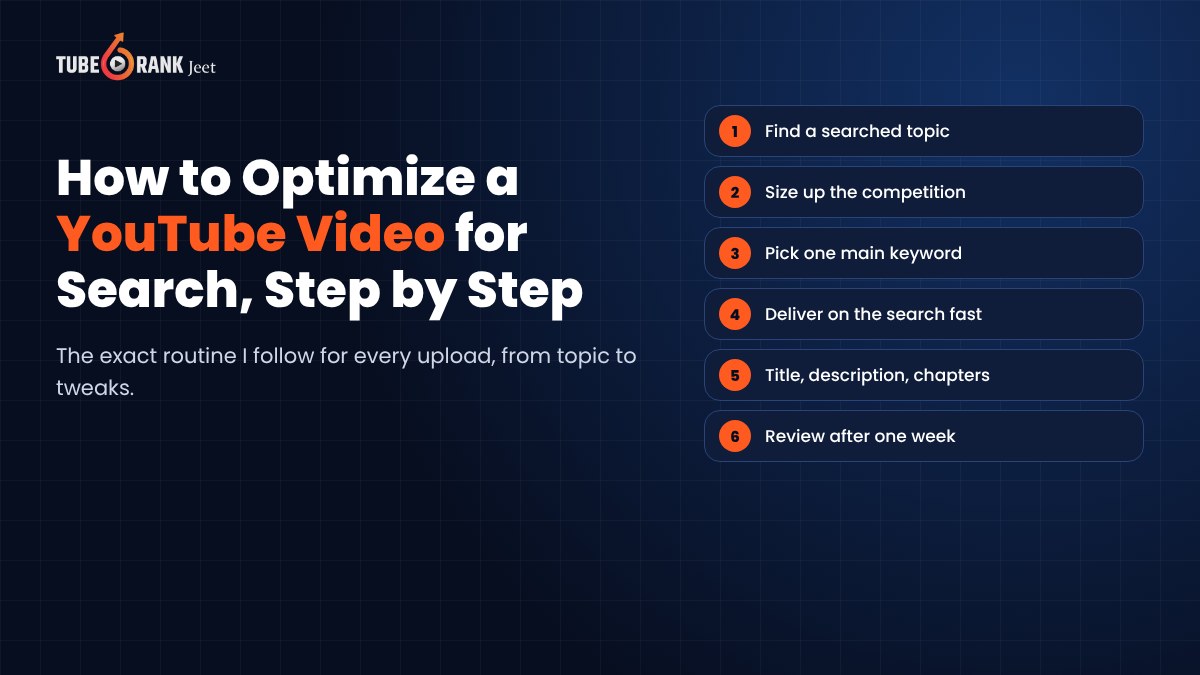
So in this post I'll walk you through exactly how I optimize a single YouTube video for search, step by step, from picking the topic to tweaking it a week after it goes live. If you're comparing software instead, we've rounded up the SEO tools for YouTube that drive real growth in a separate guide.
This one is about the process. Grab your next video idea and follow along.
What You're Actually Optimizing For
Before the steps, a quick reality check.
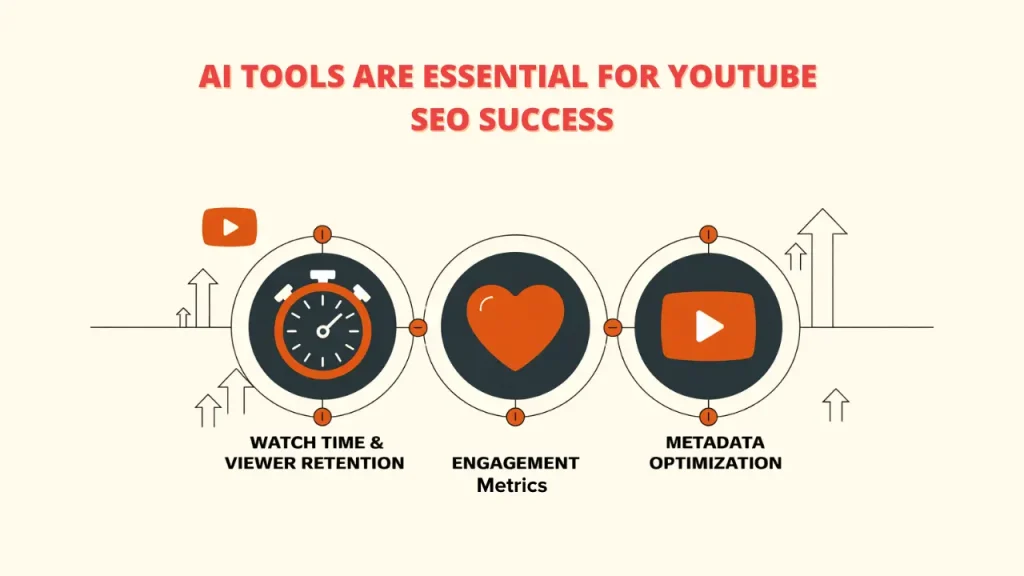
YouTube wants to show people the video that answers their search and keeps them happy. That's it. Your title, description and tags tell YouTube what the video is about. Watch time and engagement tell YouTube whether people liked it.
You need both. Perfect metadata can't save a boring video, and a great video with a vague title just sits there.
Want the deeper explanation of how those signals work? I've covered that in our guide to YouTube ranking factors. Here we'll stay practical.
Step 1. Pick a Topic People Actually Search For
This is where most videos are won or lost. Before you film anything.
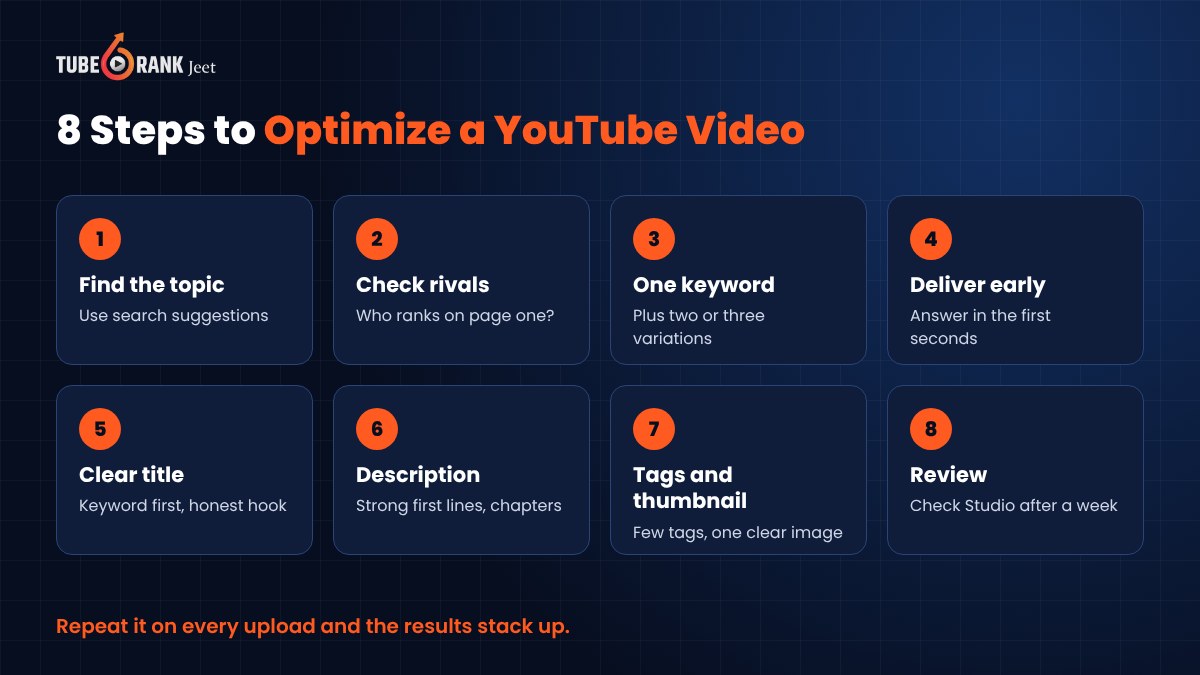
Start typing your idea into the YouTube search bar and watch the suggestions drop down. Those come from real searches. If your idea never shows up in any form, very few people are looking for it.
Then look at the results page. Are the top videos recent? Do they have lots of views? That tells you people want this topic and keep watching it.
Write down five or six versions of your idea the way a viewer would phrase them. "How to fix a squeaky door" beats "Door maintenance tips" every time, because that's what people type.
Step 2. Size Up the Competition Before You Film
Here's the step almost everyone skips.
Open the top five videos for your search. Note who made them. Huge channels with millions of subscribers? Or small creators like you?
If small channels are ranking, you have a real shot. If the whole first page belongs to giant brands, narrow the topic. "How to edit videos" is crowded. "How to edit vertical videos on a cheap Android phone" is far more winnable.
While you're there, watch a couple of them. What did they miss? What did the comments complain about? That gap is your video.
Step 3. Choose One Main Keyword
One video, one main search phrase.
Pick the phrase from Step 1 that has clear demand and competition you can beat. Then pick two or three close variations to support it. Those will go into your description, tags and spoken script.
Trying to rank one video for ten different searches usually means it ranks for none.
Step 4. Make the Video Deliver What the Search Promised
Someone searched a question. Answer it, and answer it early.
Say your main keyword naturally in the first few seconds of the video. YouTube creates automatic captions from your speech, so the words you say help describe your video too. More importantly, the viewer hears instantly that they're in the right place.
Cut the long intro. Skip the "before we start, let me tell you about my channel" segment. People who searched for an answer will leave if they don't see it coming.
If your video covers several parts, plan chapters. We'll add them in Step 6.
Step 5. Write a Title for Humans First
Your title has two jobs. Tell YouTube what the video is about, and make a human want to click.
- Put the main keyword near the start.
- Keep it short enough that it doesn't get cut off on mobile.
- Add a reason to click, like a result, a time frame or a specific situation.
- Don't promise something the video doesn't deliver.
"How to Fix a Squeaky Door in 2 Minutes (No Tools)" works. "MUST WATCH door hack!!!" doesn't tell anyone anything.
Step 6. Write a Description That Actually Helps
The first couple of lines matter most, because they show up in search results before anyone clicks "more".
Open with one or two sentences that say what the viewer will learn, using your main keyword naturally. Then add more detail below. A short summary, links you mentioned and your variations from Step 3 where they fit.
Add timestamps for chapters. Start the first one at 0:00 and list them in order. Chapters help viewers jump to the part they need, and they can show up in search as well.
Write it for a person. If it reads like a pile of keywords, rewrite it.
Step 7. Add Tags, Hashtags and a Thumbnail That Matches
Tags are a small signal. YouTube itself says they matter most for words people commonly misspell. So add your main keyword, a few variations and any common misspellings, then move on.
Hashtags help people browse related videos. Use a few relevant ones. Don't paste in dozens, because YouTube can ignore them all when you overdo it.
Then the thumbnail. It should show the result or the problem in a single glance. Big face, clear object, three or four words at most. Make sure it matches your title so the two tell one story together.
Step 8. Publish, Connect It, Then Review After a Week
Upload your own captions if you can. Accurate captions help viewers who watch with the sound off, and they're far better than auto-captions for tricky words.
Add an end screen and a card pointing to a related video. Put the video in a playlist with similar videos. You want every viewer to have an easy next step on your channel.
Then wait. Give it about a week, and open YouTube Studio.
- Is it getting impressions from YouTube search?
- Which search terms are bringing viewers in?
- Is the click-through rate low compared to your other videos?
- Where do people drop off in the retention graph?
Low clicks? Test a new thumbnail or title. Wrong search terms? Adjust your title and description toward what people are actually finding it for. A sharp early drop? Note it for your next video's intro.
Optimization isn't one and done. It's a quick check-in that makes every future video better.
How Tuberank Jeet Speeds Up Every Step
Everything above can be done by hand. I did it by hand for years. It just takes a lot of tabs, a lot of guessing and a lot of time.
That's why we built Tuberank Jeet. It's desktop software for Windows and Mac that handles the research and optimization parts of this process.
For Steps 1 and 2, it lets you research any topic, niche or keyword, shows you the traffic you can expect and tells you how hard or easy it will be to rank. You can see the videos already ranking and what they're doing, so you know what you need to beat them.
For Steps 5 to 7, it uses AI together with community research to suggest titles, descriptions, tags and hashtags. You can write and rewrite them with AI, or use one-click optimization. It supports different languages and regions too, which is handy if your audience isn't in the US.
You can also keep favourite channels, videos, tags and hashtags for later, and upload your video directly from the app.
We use it on our own channels. One of them crossed 265K subscribers, and every video on it was optimized with Tuberank Jeet.
What it won't do is make your video for you. If the content isn't useful, no tool can fix that. But it takes care of everything else.
Tuberank Jeet costs $6.99 a month or $67 a year, with a 30-day refund guarantee. There's also a free version if you want to try it first.
Frequently Asked Questions
How long does it take for a YouTube video to rank?
It varies a lot. Some videos pick up search traffic within days, others take weeks as YouTube learns how viewers respond. Low-competition topics usually move faster.
Can I optimize videos I've already published?
Yes. You can update the title, description, tags, thumbnail, chapters and end screens any time. Older videos with decent watch time but weak metadata are often the quickest wins.
Do tags still matter for YouTube SEO?
A little. YouTube says tags play a minimal role and help mostly with misspellings. Your title, description, thumbnail and the video itself matter far more.
Should I say my keyword in the video?
Yes, naturally. It reassures viewers that they're in the right place, and it shows up in your captions. Just don't repeat it in a forced way.
Final Thoughts
Good YouTube SEO isn't a trick. It's a routine.
Pick a topic people search for. Check what you're up against. Choose one keyword, deliver on it fast, and package it with a clear title, a helpful description and a thumbnail that matches. Then review and adjust.
Do that for every video and the results stack up over time.
If you want to compare the software that can help with all this, read our guide to the best SEO tools for YouTube. And if you'd like to do most of these steps in minutes instead of hours, give Tuberank Jeet a try on your next upload.